- Related issues: #4588 [BUG] Node pool anti-affinity rules are not working as expected
- Related issues: #4898 [backport v1.2] [BUG] Node pool anti-affinity rules are not working as expected
Category:
- Virtual Machines
Verification Steps
-
Provision the 3 nodes Harvester cluster
-
Provision the latest Rancher instance
-
Import Harvester to Rancher
-
Open the node driver page in Rancher dashboard
-
Ensure the Harvester node driver version > 0.6.6
-
Add label
topology.kubernetes.io/zoneand a different zone value, sayzone1,zone2,zone3is added to each node of the harvester cluster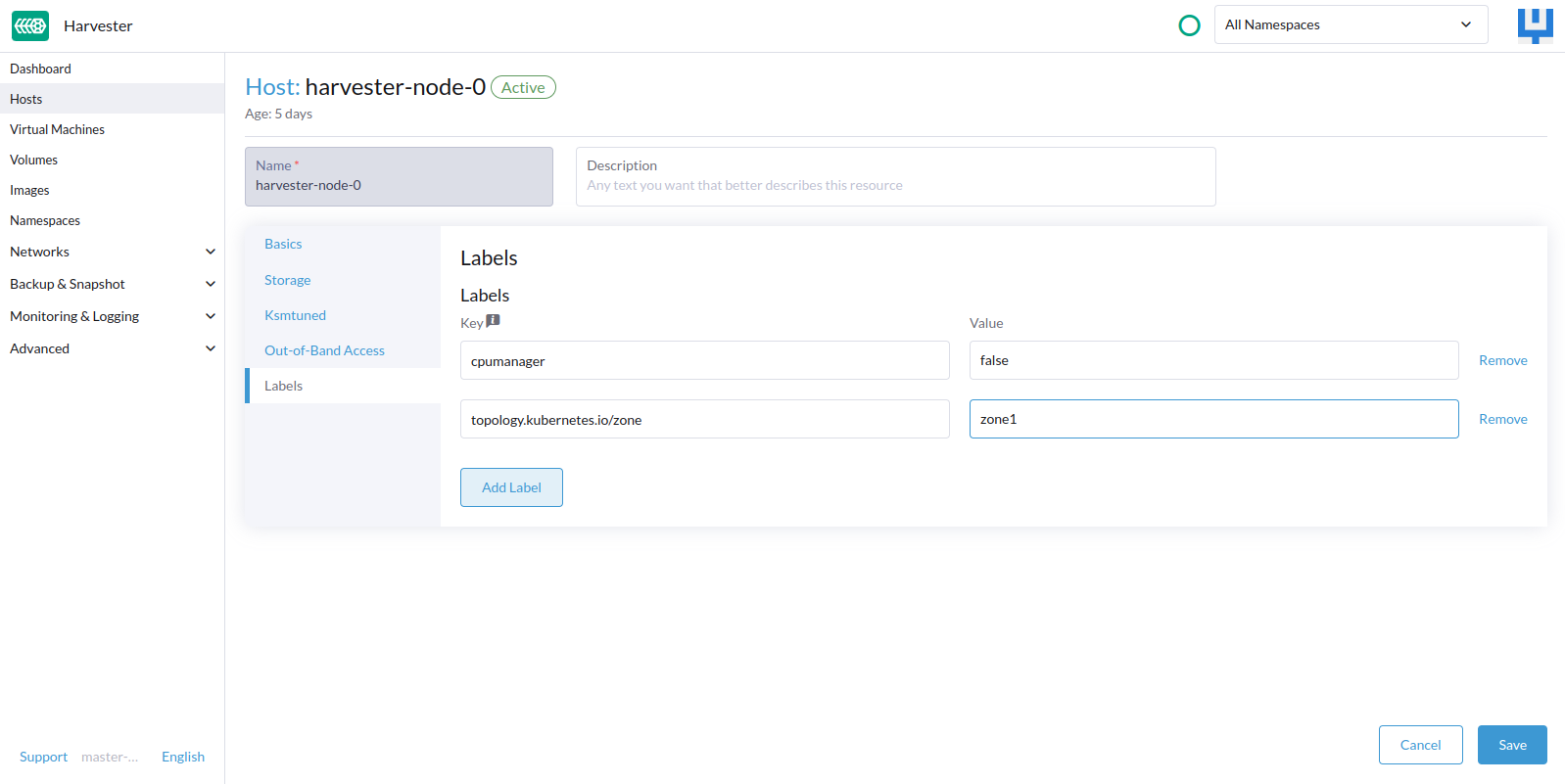
-
Provision the downstream RKE2 guest cluster with 3 machine counts
-
Specify the VM
anti-affinityscheduling rule: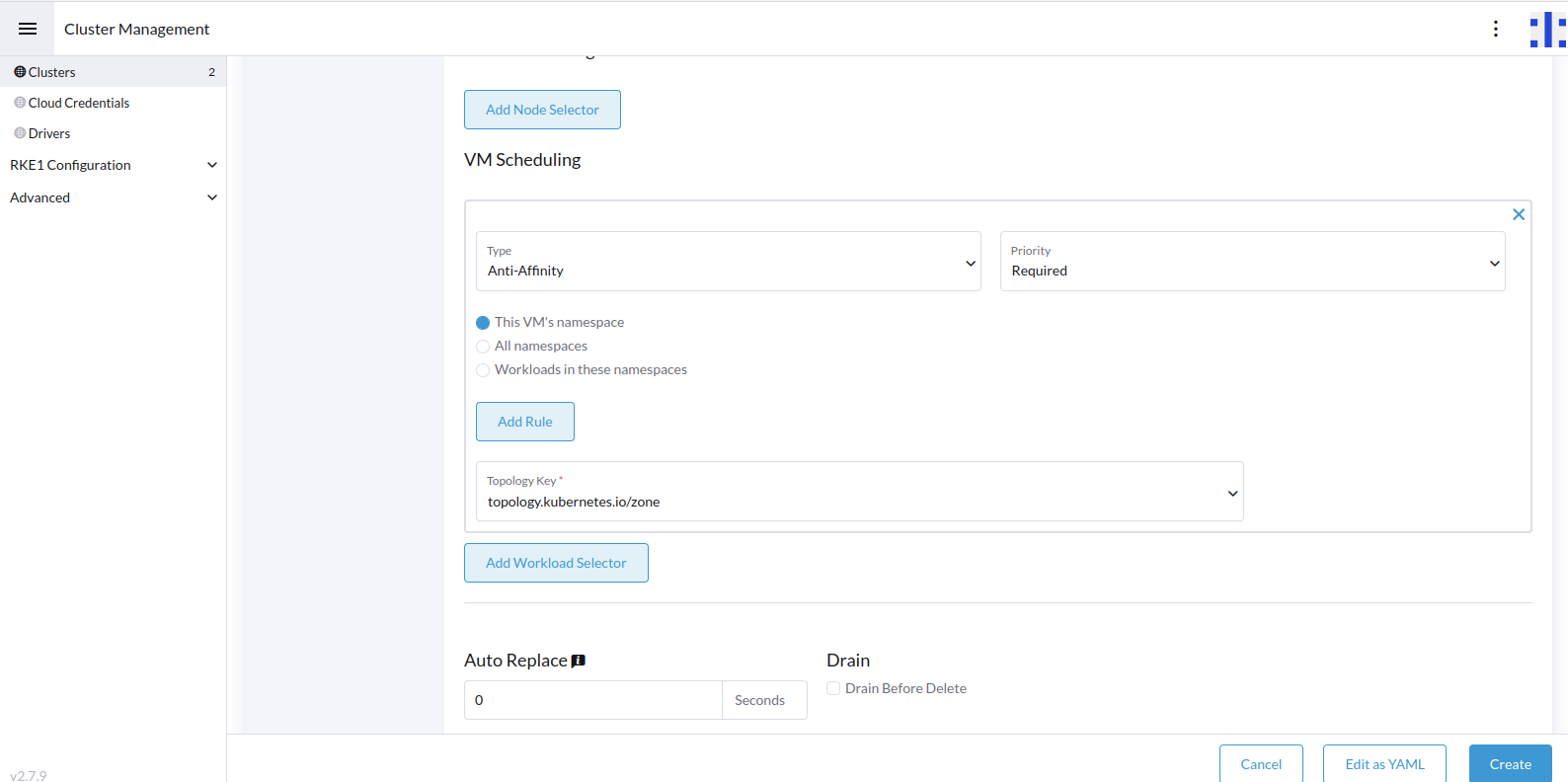
-
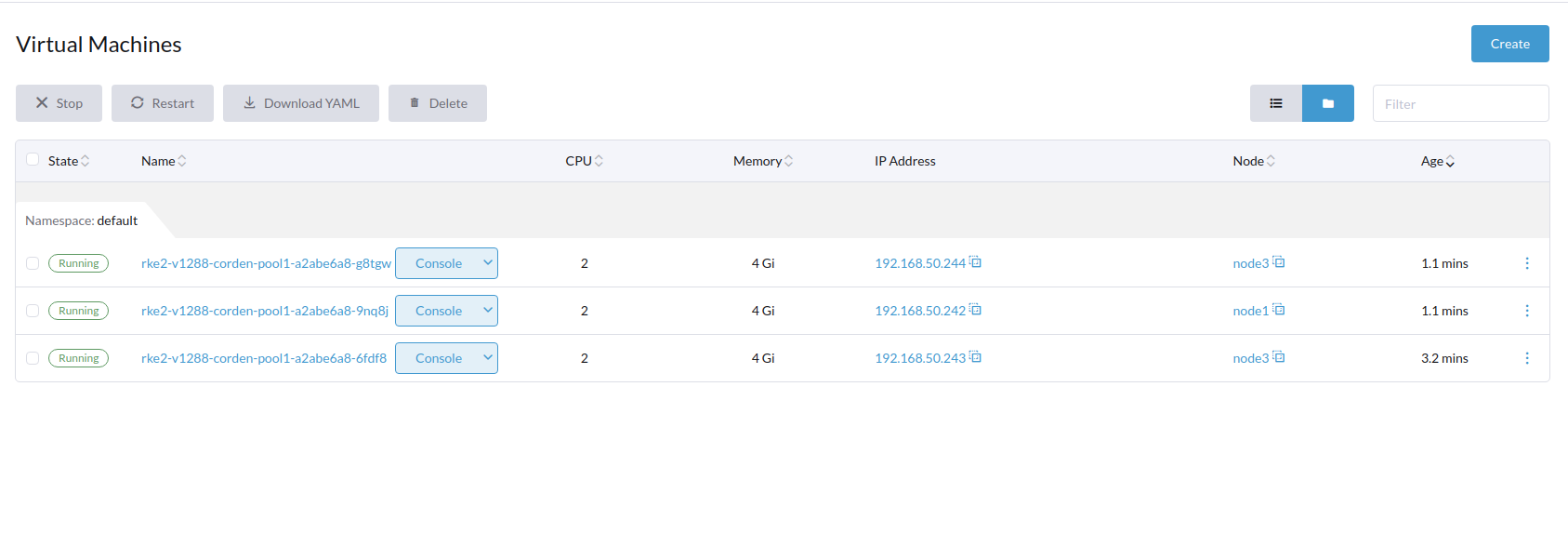
Verify the VM’s will be spread across the three different nodes
-
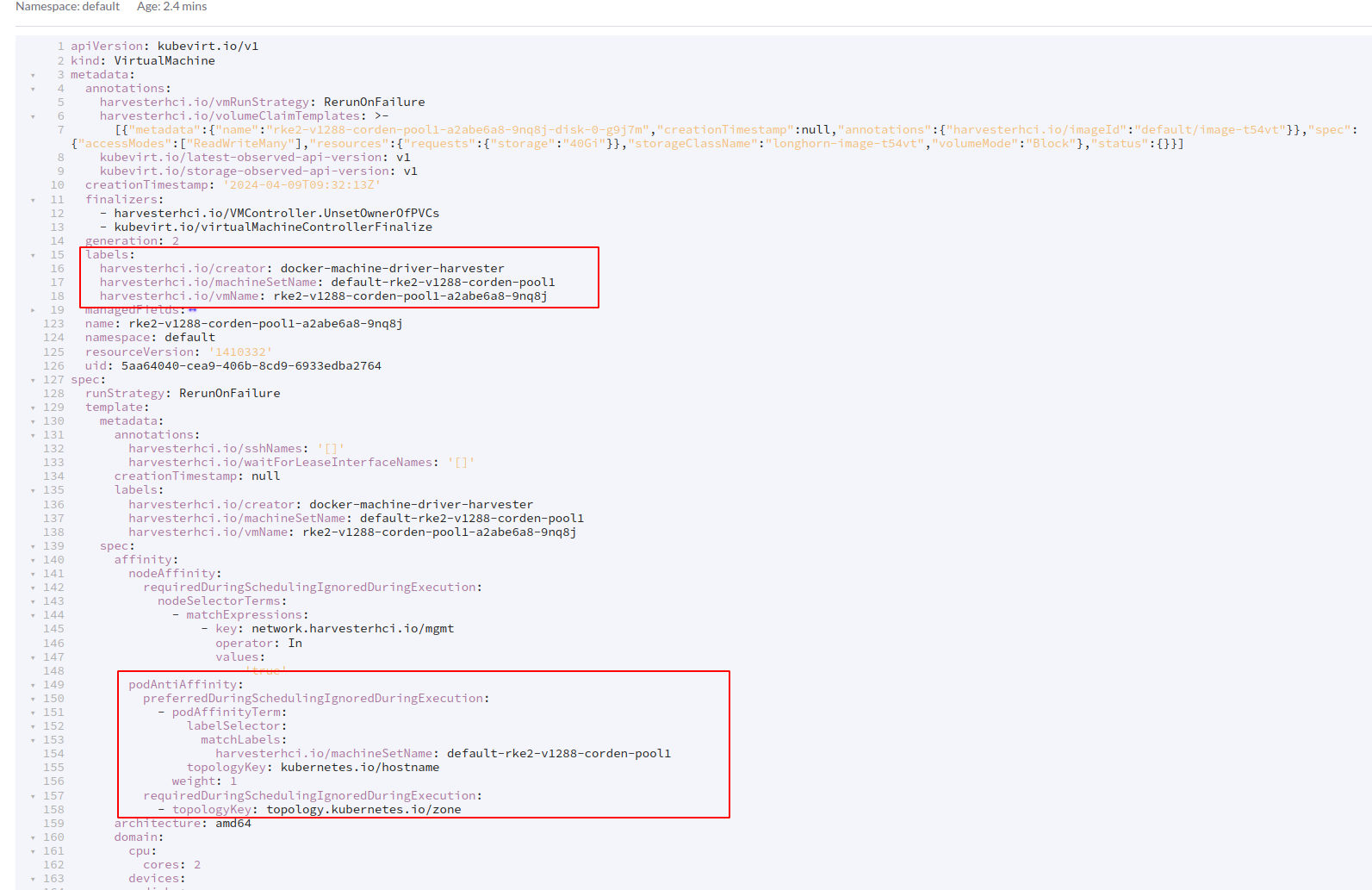
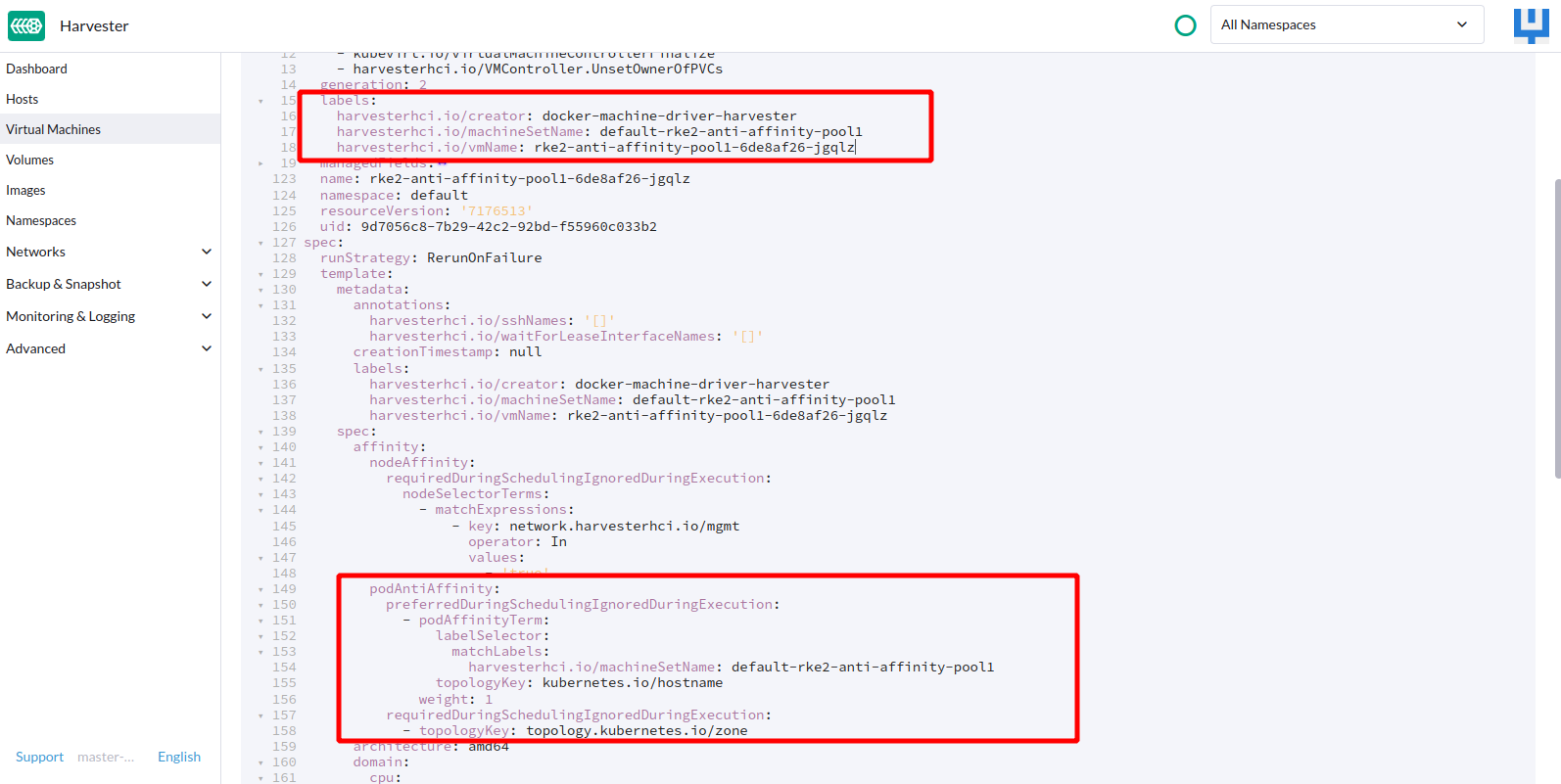
Check the yaml content of each VM,
-
Each VM launched will have an additional label added.
-
The anti-affinity rule on the VM will leverage this label to ensure VM’s are spread across in the cluster
-
Cordon one of the node on Harvester host page
-
Repeat step 7 - 12
Expected Results
-
VM’s will be spread across the three different nodes
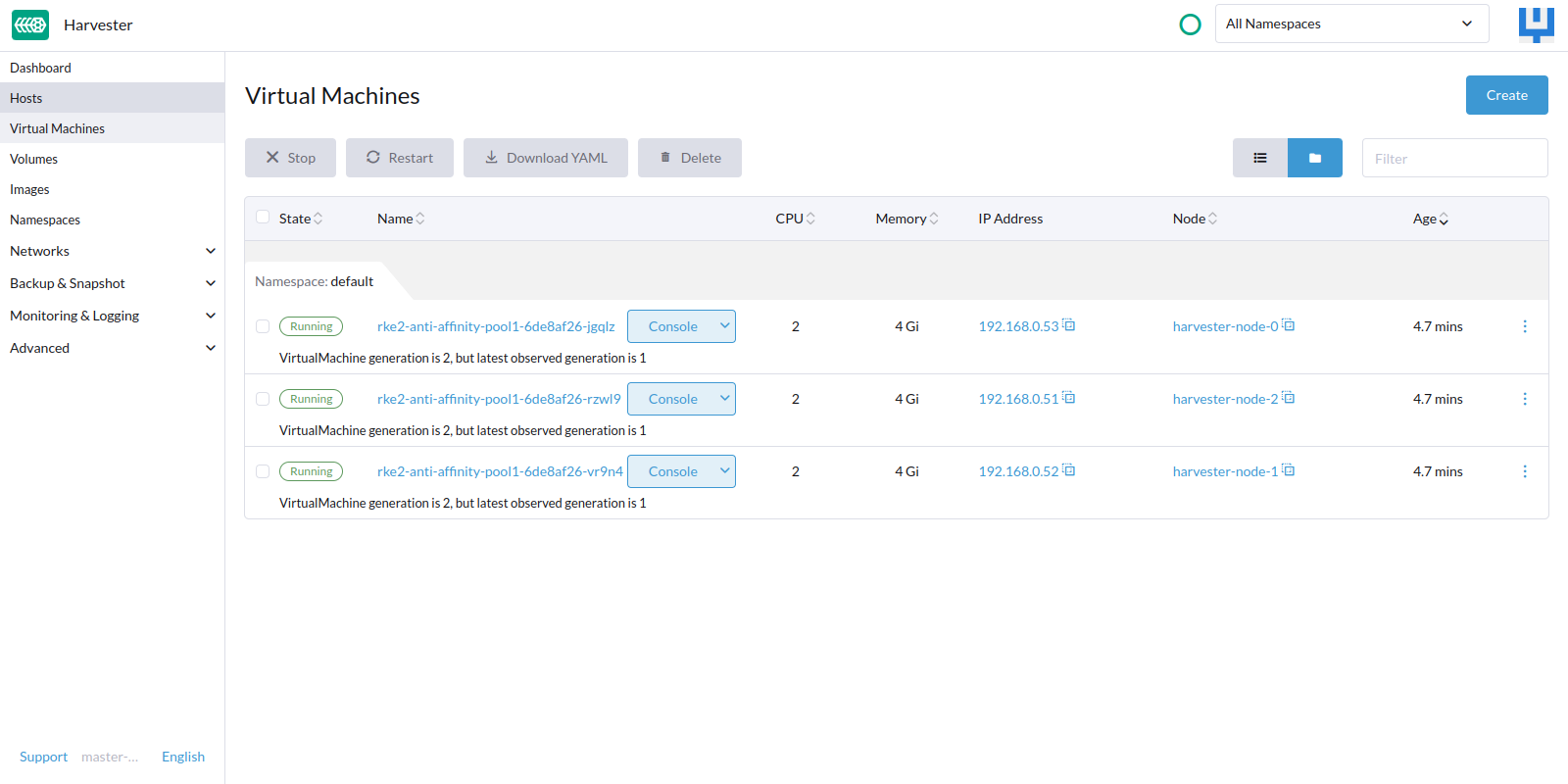
-
Each VM launched will have an additional label added.
-
The anti-affinity rule set on the label of vm in the yaml content
-
If Node 2 cordoned, none of the VM would be scheduled on that node
-
The anti-affinity rule set on the label of vm in the yaml content