- Related issues: #4611 [ENHANCEMENT] Check free disk space percent before upgrade
Category:
- Upgrade Harvester
Verification Steps
-
Create a new Harvester cluster. Each node’s disk space should be 250G.
-
Use dd to write files to make sure one of the node’s free disk space is 20G, if every node’s /usr/local free space is more than 30G
dd if=/dev/zero of=/usr/local/test.img bs=1G count=93 . -
Ensure /usr/local did not have enough spaces
rancher@n1-240104:~> df -h /usr/local Filesystem Size Used Avail Use% Mounted on /dev/vda5 147G 28G 112G 21% /usr/local rancher@n1-240104:~> sudo dd if=/dev/zero of=/usr/local/test.img bs=1G count=93 93+0 records in 93+0 records out 99857989632 bytes (100 GB, 93 GiB) copied, 327.656 s, 305 MB/s rancher@n1-240104:~> df -h /usr/local Filesystem Size Used Avail Use% Mounted on /dev/vda5 147G 116G 24G 84% /usr/local -
Create a test version
apiVersion: harvesterhci.io/v1beta1 kind: Version metadata: annotations: harvesterhci.io/minFreeDiskSpaceGB: "5" name: 1.2.2 namespace: harvester-system spec: isoURL: http://192.168.0.181:8000/harvester-v1.2.2-amd64.iso minUpgradableVersion: 1.2.1 releaseDate: "20231210" tags: - dev - test -
Click upgrade on the dashboard
-
Remove the dd file
-
Ensure we free the /usr/local spaces
rancher@n1-240104:/usr/local> sudo rm test.img rancher@n1-240104:/usr/local> df -h /usr/local Filesystem Size Used Avail Use% Mounted on /dev/vda5 147G 23G 118G 16% /usr/local -
Click the upgrade again
Expected Results
-
Should get an error message on the upgrade dashboard
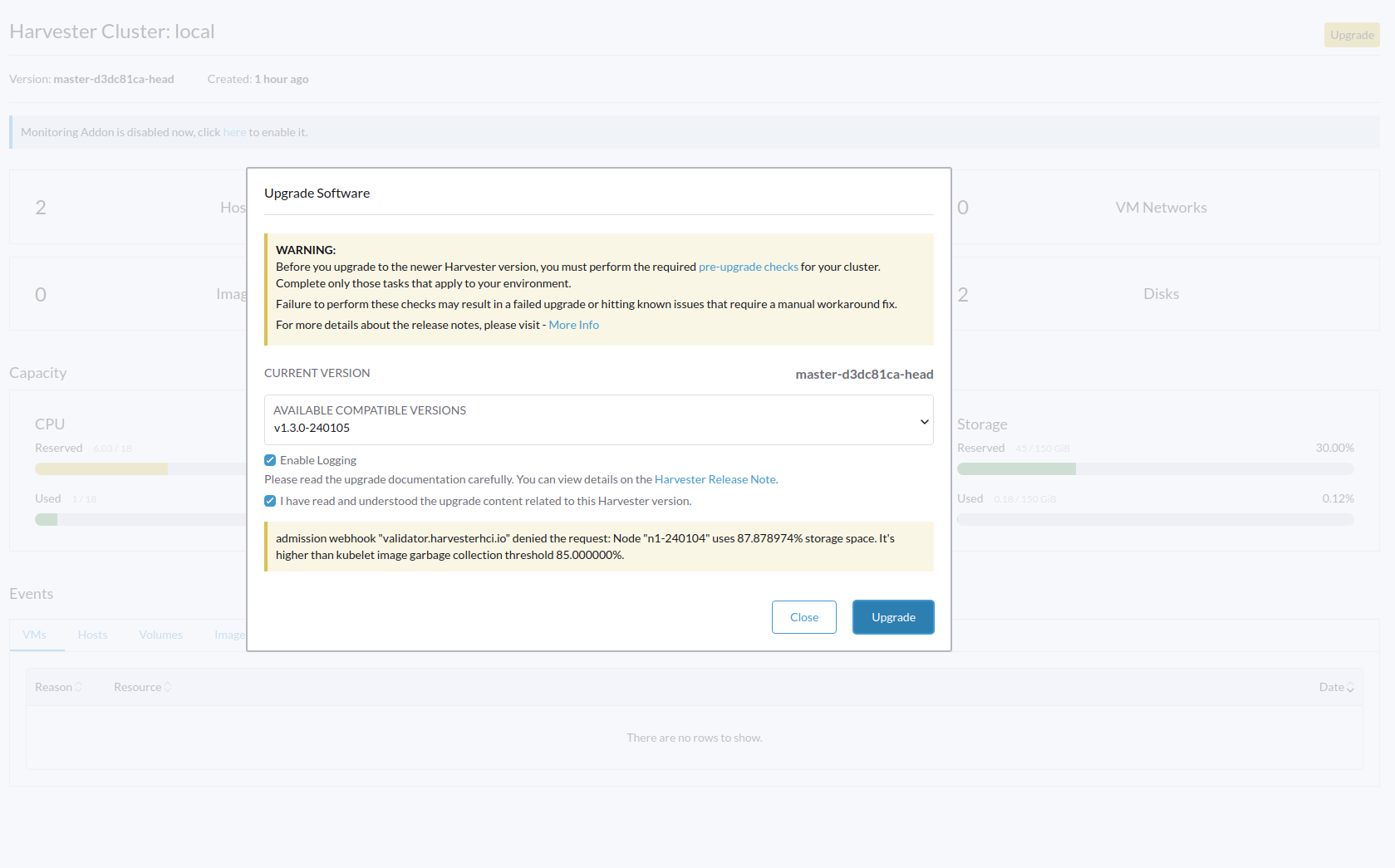
-
There is no error message on the upgrade dashboard, can trigger the upgrade process